smaXtec Platform Data
To access the smaXtec sensor data for a specific animal, first access the CowCard for that animal. Then, navigate to the Partners tab. For more details on accessing a CowCard, see CowCards at a Glance.
Alerts
When new alerts are available, a red badge displays on the Partners tab for the animal's CowCard.
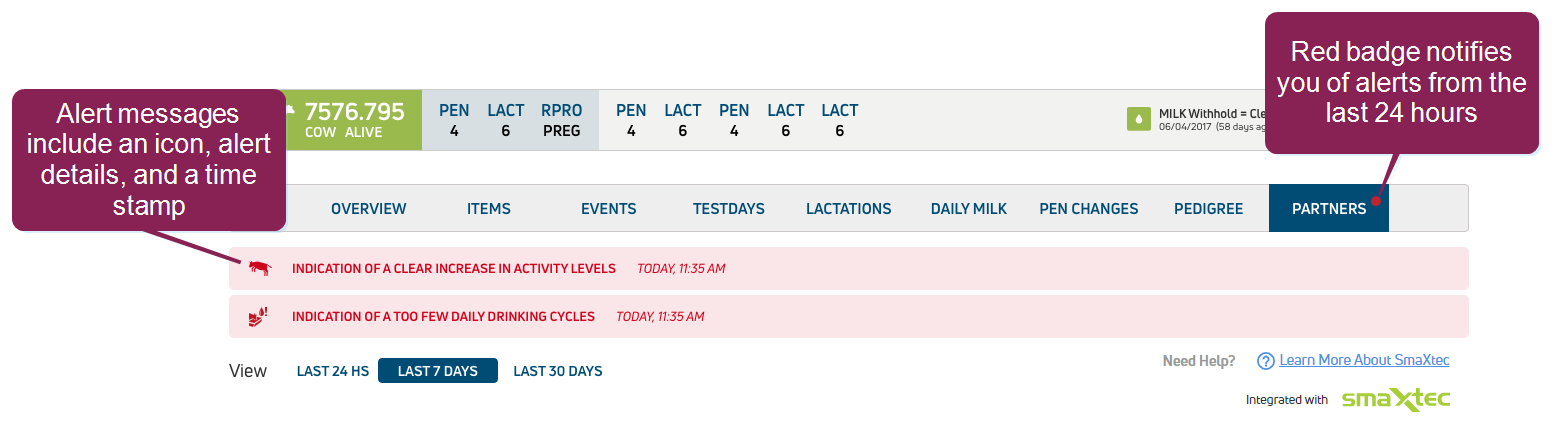
All alerts received in the last 24 hours display at the top of the page. After a 24-hour period, alerts automatically clear.
Graph
Depending on the bolus type (standard or premium), the graph for each animal displays either two or three types of data.
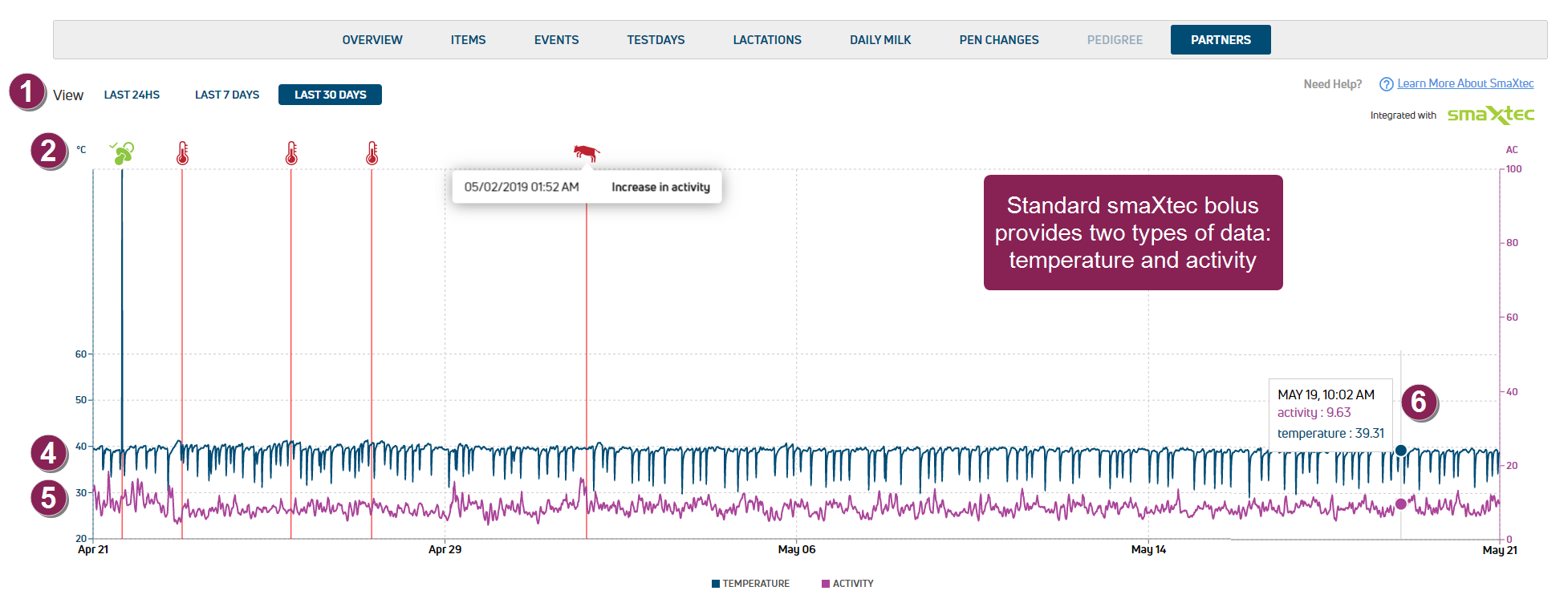
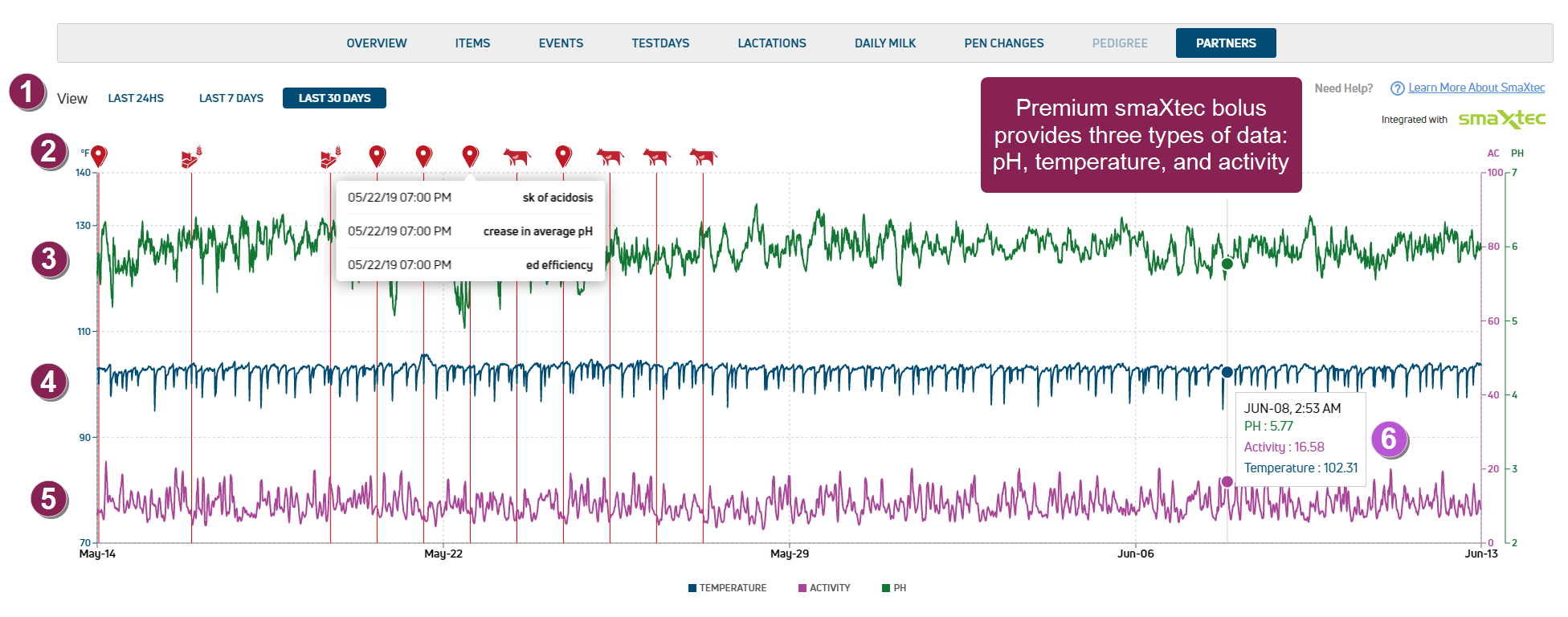
- View: Select to view animal data for the Last 24 Hours, 7 Days, or 30 Days.
- Event icon: Identifies animal events. Hover over the icon to view more details on the diagnosis, or health or reproduction-related event. See smaXtec/VAS Data Details for a complete list of smaXtec and VAS alerts and other other shared data.
- pH: (premium bolus only) Rumen acidity level. Normal rumen pH range is between 5.7 and 7.3.
NOTE: smaXtec sends alerts for animals with a pH level below 5.8, which is an indicator of acidosis
 Sub-acute ruminal acidosis (SARA) is a digestive disorder caused by low rumen pH levels (below 5.6) and diets high in starch and low in fiber. Dairy cows experiencing SARA often do not exhibit any obvious symptoms, though some may have mild diarrhea, reduced appetite, foamy feces, and reduced rumination (cud-chewing)., and for animals with a large variance A measure of how far each value in the data set is from the mean. in pH levels, which may be a sign of poor feed composition.
 - Temperature: Animal temperature.
- Activity: The activity level for an animal. The higher the value, the greater the amount of activity.
- Tooltip: Hover over the graph data to view the bolus reading for a specific date and time.
Messages
The Messages area below the graph provides more information on recent alerts, and includes the following information.
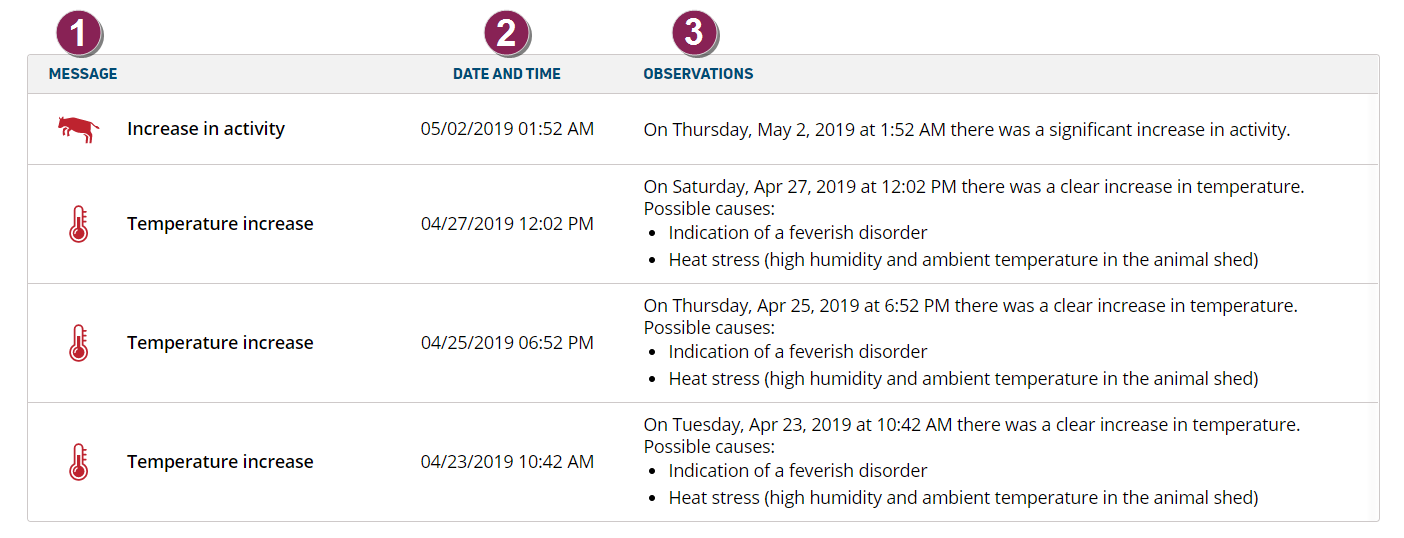
- Message: Identifies the diagnosis event, or health or reproduction-related alert. See smaXtec/VAS Data Details for a complete list of smaXtec and VAS alerts and other other shared data.
- Date and Time: The date and time of the alert or event.
- Observations: A description of the event or alert, as well as possible indications.